
Cake Maker: Happy Birthday
Battery Stats SaverEvents
4.627.00 Reviews
- Version
- 5.1.0
- Installs
- 1.00M
- Age Rating
- Everyone
Screenshots
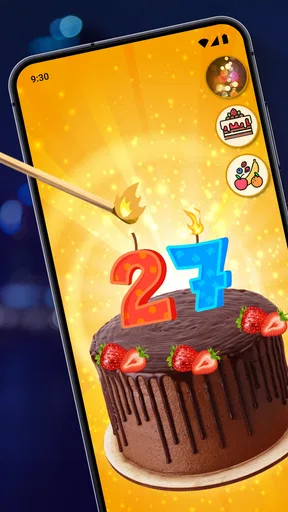
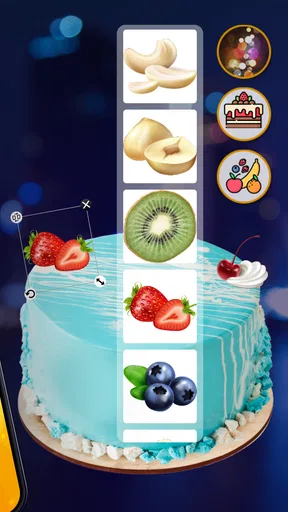
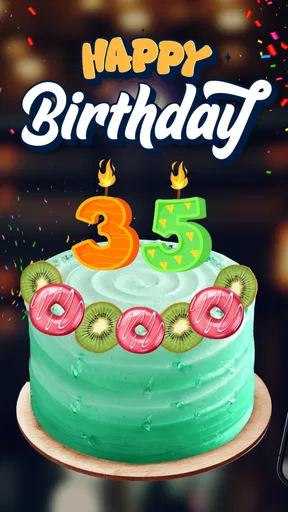
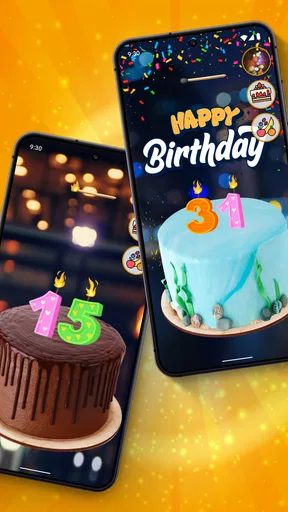

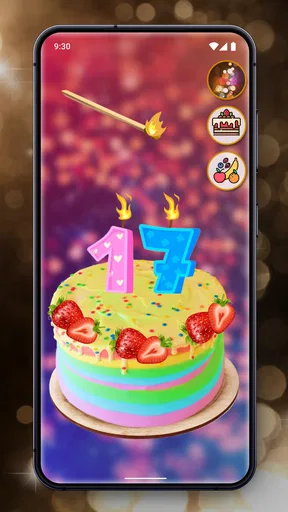
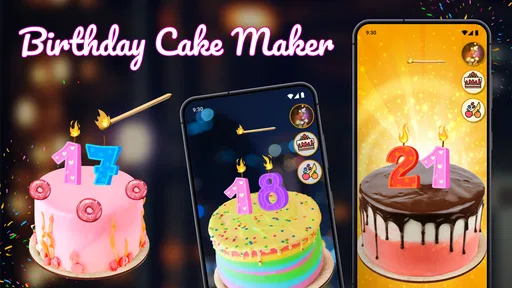
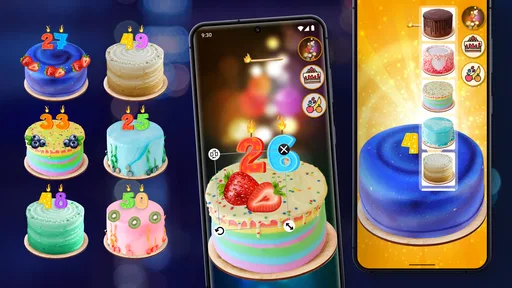
Our Review of Cake Maker: Happy Birthday
 Analysis by Appyee
I like the idea of making a birthday cake without turning the kitchen into a floury disaster, and Cake Maker: Happy Birthday is built around that simple pleasure. It’s a free creative app from Battery Stats Saver, aimed at making virtual cake design feel cheerful and approachable. I’d reach for it when I want a light activity for a few spare minutes, or something playful to share with a child, rather than a serious baking simulator.
A simple first session works best
The easiest way to get a feel for the app is to treat the first cake as a quick experiment. Choose a design, try a few decorative options, and see how the finished creation looks before spending time chasing a perfect result. That low-pressure approach suits the birthday theme: there is no need to know baking terminology or plan a recipe. You can focus on appearance and enjoy the small decisions that turn a plain cake into a personal greeting.
That also makes it useful for a very ordinary situation: perhaps a family birthday is coming up, but you have a few minutes while waiting for someone or sitting with a child after school. You can make a celebratory image together, choosing decorations by instinct rather than following a complicated sequence. I’d see that as the app’s most practical role—not replacing a present or a real cake, but giving you an easy shared activity and a cheerful result.
What to check before decorating
The app’s appeal is visual, so it helps to pause before adding details and decide what mood you want the cake to have. A simple color scheme can make the finished design feel more considered than piling on every available decoration. For a child’s birthday greeting, bold and playful choices may be the point; for a more restrained design, a couple of accents can be enough. This small bit of planning makes the creative process feel less like tapping through options and more like making something with a purpose.
I’d also check how the controls behave before committing to a detailed layout. A quick test with one decoration can show whether you can easily revise a choice and whether the available controls feel comfortable on your device. That matters because decorating is the part where people are most likely to change their minds. If the interface feels fiddly at first, make a simpler cake rather than trying to perfect every corner immediately.
Make a repeatable routine, not a long project
For a faster result, I’d use the same basic sequence each time: choose the cake, settle on a main color or style, add one or two standout details, then review the whole design before sharing it. Reusing that personal routine avoids getting stuck in endless browsing. It is especially handy if you are making several birthday greetings and want each one to feel distinct without starting from a blank mental slate.
A useful trade-off is deciding whether the cake should be the activity or the message. If you are making something with a child, exploring decorations together may be more fun than finishing quickly. If you simply want a quick birthday image to send, a restrained design gets you there with less fiddling. The app can serve both purposes, but it is more enjoyable when you decide which one matters before you start.
Compared with the usual alternatives, this is more focused than a general drawing app: you begin with a birthday-cake idea rather than having to invent a canvas and build every element yourself. A photo-editing app may be better if you want to add text to a real picture, while a recipe app is the right choice when you need ingredients and baking instructions. This one sits between those uses as a playful design activity. It is not the choice I’d make for realistic cake planning, but that is not what makes it appealing.
Whipping Up Some Fun
First things first, the interface of Cake Maker: Happy Birthday is as colorful and inviting as a birthday party itself. As soon as you open the app, you're greeted with bright colors and cheerful music that instantly sets the mood. It's like stepping into a sugary wonderland where you call the shots.
You start off by choosing the type of cake you want to "bake." The options are vast, from simple vanilla cakes to more elaborate chocolate fudge creations. There’s something for everyone, whether you're a purist or you like your cakes with all the frills. I opted for a classic chocolate cake because, well, chocolate.
Customization Galore
The customization options are where this app truly shines. You get to pick everything from the cake shape to the type of icing. Want a heart-shaped cake with rainbow sprinkles? You got it. The level of detail you can add is impressive. I found myself spending a good chunk of time just playing around with different combinations. It's like being in a candy store, but better because it's all about cake!
What really caught my eye were the decorations. You can add edible glitter, fondant flowers, and even little birthday candles. It’s a creative playground where you can unleash your inner pastry chef without any pressure. Plus, if you make a mistake, you can just undo it. Try doing that with a real cake!
Sharing the Sweetness
Once your masterpiece is complete, the app lets you snap a pic of your creation. You can share it directly within the app or post it on social media to show off your virtual baking skills. It's a neat way to get feedback from friends and fellow users. I shared mine, and the reactions were overwhelmingly positive—everyone loves a good cake pic, right?
Moreover, there’s an option to "gift" your creation. This feature is perfect for sending virtual birthday wishes or just spreading a little joy. It’s like sending a card, but tastier and more fun.
A Few Sprinkles Short
As delightful as the app is, there are a few things to keep in mind. The app does have in-app purchases, which are tempting because who doesn’t want those premium decorations? However, the free version is generous enough to keep you entertained without feeling limited.
Also, while the app is intuitive, there were moments when I wished for a bit more guidance, especially during the decoration phase. A tutorial or tips section would be a sweet addition for newcomers who might feel a bit overwhelmed by all the choices.
The Final Slice
In the end, this birthday cake-making app is a delightful escape into the world of virtual baking. Whether you're looking to kill some time or unleash your inner cake artist, it offers a fun and colorful experience. It’s rated for Everyone, so it can suit a range of ages, though younger children may enjoy it most with an adult nearby to help choose decorations and handle sharing. It’s also popular, with over a million installs and an average rating of 4.6 from around 2,300 ratings.
Who will enjoy it, and who may want something else
I’d recommend it to people who enjoy casual creative play, parents looking for a low-stakes activity to do with a child, and anyone who wants a birthday-themed image without drawing one from scratch. The focus on cakes gives the app a clear starting point, and the decorating is forgiving enough for someone who does not think of themselves as artistic. If you prefer making things with your hands, though, a real baking activity will be more satisfying; this is about visual play, not learning how to mix batter or decorate an actual cake.
It may also be a poor fit if you want a broad art tool, detailed control over typography, or a practical party-planning assistant. The birthday-cake theme is a strength when that is what you want, but it naturally narrows the experience. For a general greeting card, a card-making app may offer more room for messages and layouts. For a custom cake order, a bakery’s own design process is more useful. I’d choose this when the goal is relaxed amusement or a playful digital greeting, not when precision or real-world planning matters.
Costs, age, and expectations
The app is free to download, with in-app purchases ranging from $0.99 to $99.99 per item. I’d start without buying anything and see whether the available choices are enough for the way you want to use it. A purchase only makes sense if a particular extra is genuinely important to your design; the birthday-cake concept does not require spending money to understand. Since children may be drawn to colorful extras, it is sensible for an adult to stay involved if purchases are a concern.
The app was released on February 9, 2023, and version 5.1.0 is the current version. It requires Android 5.0 or later. Battery Stats Saver is the developer, and the app belongs to the events category, which fits its birthday-centered purpose better than treating it as a full baking or cooking tool. Those details help set expectations: this is a focused occasion-themed activity, not a recipe collection or a general-purpose design studio.
Where the fun has limits
The main limitation is that a design activity can become repetitive once you have explored the combinations that interest you. The app’s appeal depends on enjoying the process of choosing and arranging decorations; someone looking for levels, challenges, or a deeper creative system may want more structure than it offers. I would keep sessions casual and give myself a small goal—such as making a bright cake for a child or a simple design to send to a friend—rather than expecting an open-ended project to hold my attention indefinitely.
Sharing is another point where expectations matter. A finished cake can make a sweet digital greeting, but it is still a virtual creation, so it will not replace a message tailored in your own words or a photograph of a real celebration. I’d add a personal note wherever I share it, especially if the recipient is someone close to me. That turns the image into a small gesture instead of asking the design to carry the whole message.
For a first try, I’d make one uncomplicated cake, test how easy it is to undo a choice, and then decide whether I want to spend longer exploring decorations. That gives a fair sense of the app without turning a quick diversion into a task. If you are choosing it for a child, making the first design together also lets you see whether the controls and pace suit them before handing over the device.
So, if you're ready to dive into a world of frosting and sprinkles without the calories, give this app a whirl. Who knows, it might even inspire you to try your hand at real baking. Until then, happy virtual baking!
Verdict
Strengths of Cake Maker: Happy Birthday
- Intuitive design for easy navigation.
- Wide variety of cake decoration options.
- Engaging for all age groups.
- Regular updates with new features.
- No in-app purchases required.
Limitations of Cake Maker: Happy Birthday
- Limited cake flavors available.
- Ads can be intrusive at times.
- Lacks multiplayer mode.
- Some features require internet.
- Graphics could be improved.
Other Releases by Battery Stats Saver
View All
Photo Lock App - Hide Pictures
Personalization4.6

All Deleted Messages Recovery
Communication4.2

USB Screen Share - Phone to TV
Personalization3.8

Speak and Translate Languages
Communication4.7
Similar Picks in This Category
View All
Easy Quran Mp3 Audio Offline
Muslim Worldapp4.7

Invitation Maker: Cards & RSVP
Greetings Island4.9

StubHub - Live Event Tickets
StubHub4.3

Fever: Events & Tickets
Fever Labs4.7

Epic Freebie Games Radar
Arioch Pds - Apps & Games4.4

Invitation card Maker, Design
Splendid App Maker4.9
Frequently Asked Questions
What is Cake Maker: Happy Birthday and what can I do with it?
Cake Maker: Happy Birthday is a fun and interactive app that allows users to create virtual birthday cakes. With a wide array of decorations, flavors, and themes, you can design personalized cakes for different occasions. It's a creative tool for users who enjoy virtual baking and decorating.
Is Cake Maker: Happy Birthday suitable for children?
Yes, Cake Maker: Happy Birthday is designed to be child-friendly. The app features easy-to-use controls and colorful graphics that appeal to younger audiences. Parents can feel confident letting their children explore the app, as it encourages creativity and imaginative play without inappropriate content.
Does the app offer any educational value?
While primarily designed for entertainment, Cake Maker: Happy Birthday offers educational benefits by enhancing creativity, hand-eye coordination, and problem-solving skills. Users learn to combine different cake elements, which can foster an understanding of design and color theory in a fun way.
Are there in-app purchases or ads in Cake Maker: Happy Birthday?
Cake Maker: Happy Birthday is free to download, but it includes optional in-app purchases for additional decorations and themes. The app also contains ads, which can be removed by upgrading to the premium version. Users should be aware of these features to manage their experience effectively.
Can I save or share my cake designs with others?
Yes, Cake Maker: Happy Birthday allows users to save their cake designs to their device's gallery. You can also share your creations directly from the app to social media platforms or messaging apps, making it easy to show off your virtual baking skills to friends and family.
